App preview

How to create a digital accident report

Unfallbericht.at guides you through every important detail in the browser: accident location, parties, 17-point checklist, sketch, damage, photos, signature and finished PDF.

No app downloadGuided workflowPDF for sharing
Start or join a reportCapture location, date and extra details17-point checklist for both vehiclesAccident sketch with vehicles and mapMark damage on the vehicleAdd photos for documentationReview all details before signingBoth parties sign digitally
  1. 0 Dashboard
  2. 1 Basic data
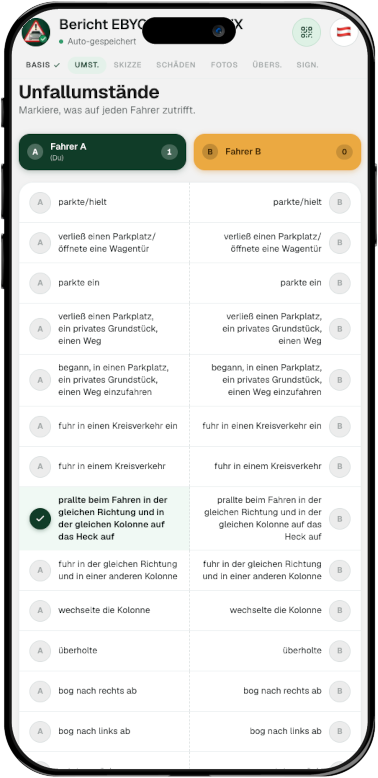
  3. 2 Circumstances
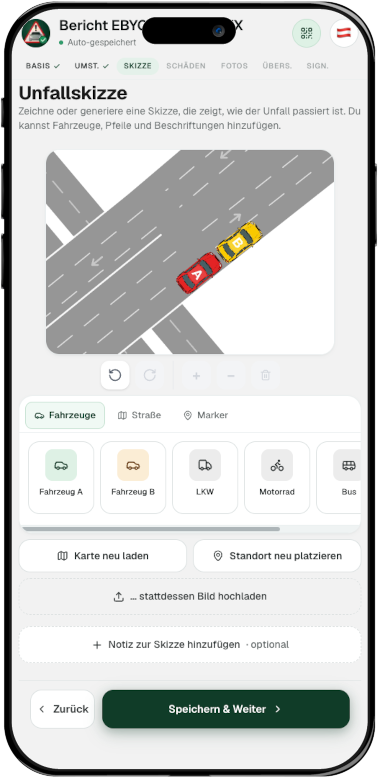
  4. 3 Sketch
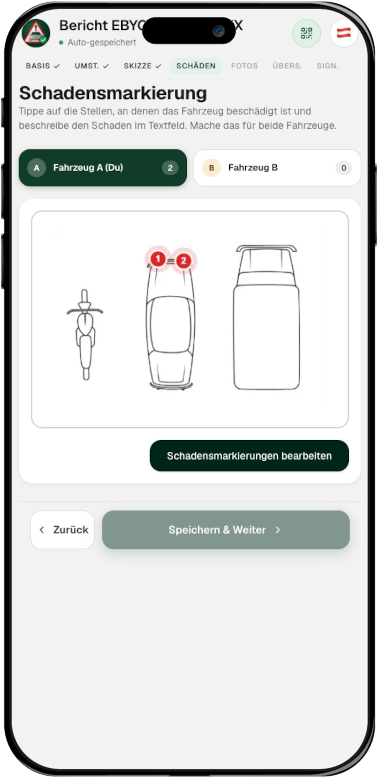
  5. 4 Damage
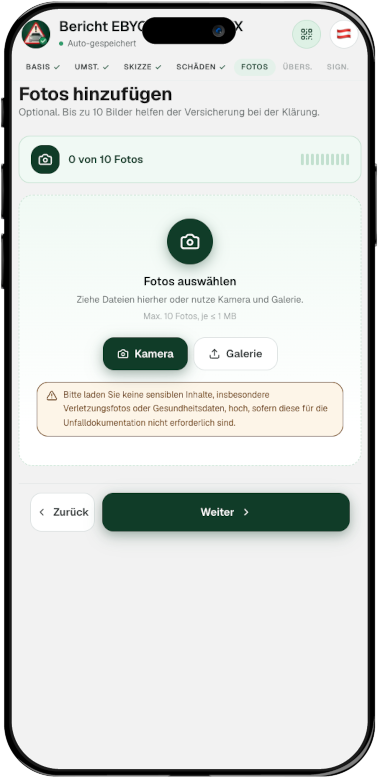
  6. 5 Photos
  7. 6 Review
  8. 7 Signature
8 preview points
13 languages
17 checklist items
PDF ready instantly

Product overview

A page for anyone who wants to see how the app works before starting.

This preview reflects the real workflow of the web app. It is deliberately specific so that users, insurers and search engines can understand which data is collected and how a complete digital accident report is created.

Detailed workflow

From accident location to finished PDF

The digital accident report follows the structure of the European Accident Report and adds browser features such as location capture, live collaboration, photo upload and digital signature.

Start or join a report

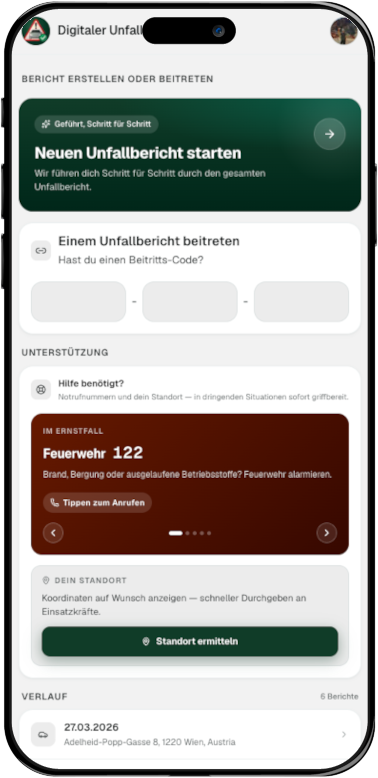
Dashboard

Start or join a report

The dashboard brings together new reports, join codes, emergency help, location support and recent report history.

  • Start a new report
  • Join by code
  • Emergency numbers at hand
Capture location, date and extra details

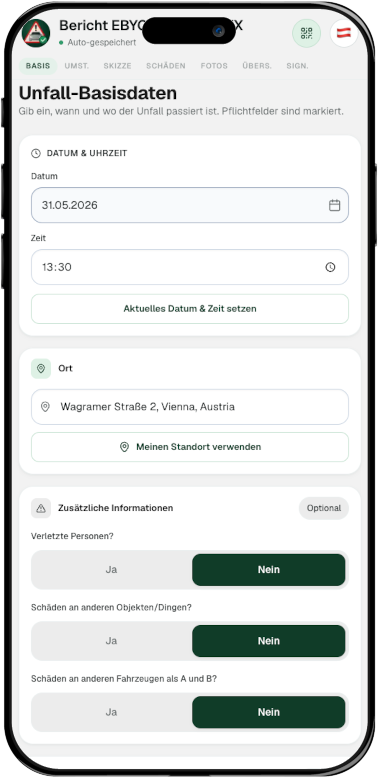
Basic data

Capture location, date and extra details

The first step captures time, location, injuries, additional damage and important context in a structured flow.

  • Date and time
  • Address or location
  • Injuries and other damage
17-point checklist for both vehicles

Circumstances

17-point checklist for both vehicles

The standardized checklist separates vehicle A and B so the circumstances are documented without deciding fault on site.

  • Separate A and B columns
  • Selection instead of blame
  • Selected item count
Accident sketch with vehicles and map

Sketch

Accident sketch with vehicles and map

The sketch lets you place vehicles, arrows, roads and markers. The map can be refreshed or repositioned.

  • Place vehicles and arrows
  • Reload the map
  • Add sketch notes
Mark damage on the vehicle

Damage

Mark damage on the vehicle

Damaged areas are marked directly on vehicle diagrams so each damage point remains tied to the correct vehicle.

  • Marks per vehicle
  • Multiple damage points
  • Review before continuing
Add photos for documentation

Photos

Add photos for documentation

Photos of the scene and damage can be added directly, with reminders to avoid unnecessary sensitive content.

  • Camera or gallery
  • Up to 10 photos
  • Sensitive content reminder
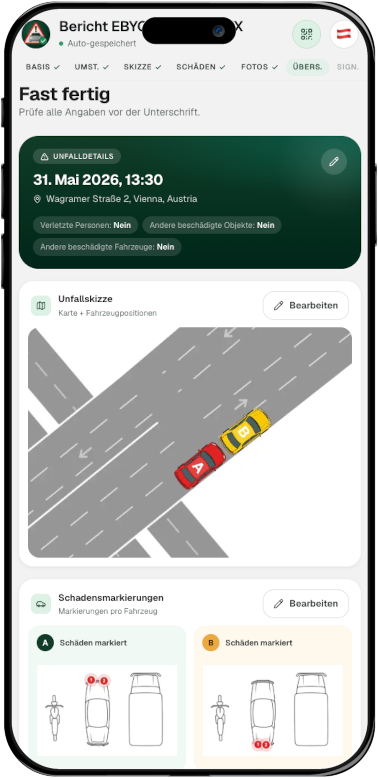
Review all details before signing

Review

Review all details before signing

The review screen brings together time, location, sketch, damage marks and other details before the report is signed.

  • Accident details at a glance
  • Review sketch and damage
  • Spot missing data
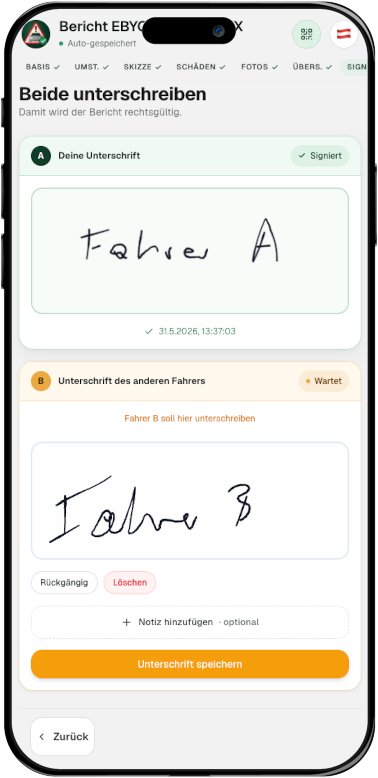
Both parties sign digitally

Signature

Both parties sign digitally

At the end, both parties sign on the touchscreen. The finished report can then be generated as a PDF and shared.
  • Sign on the phone
  • Status per party
  • PDF after completion

Result

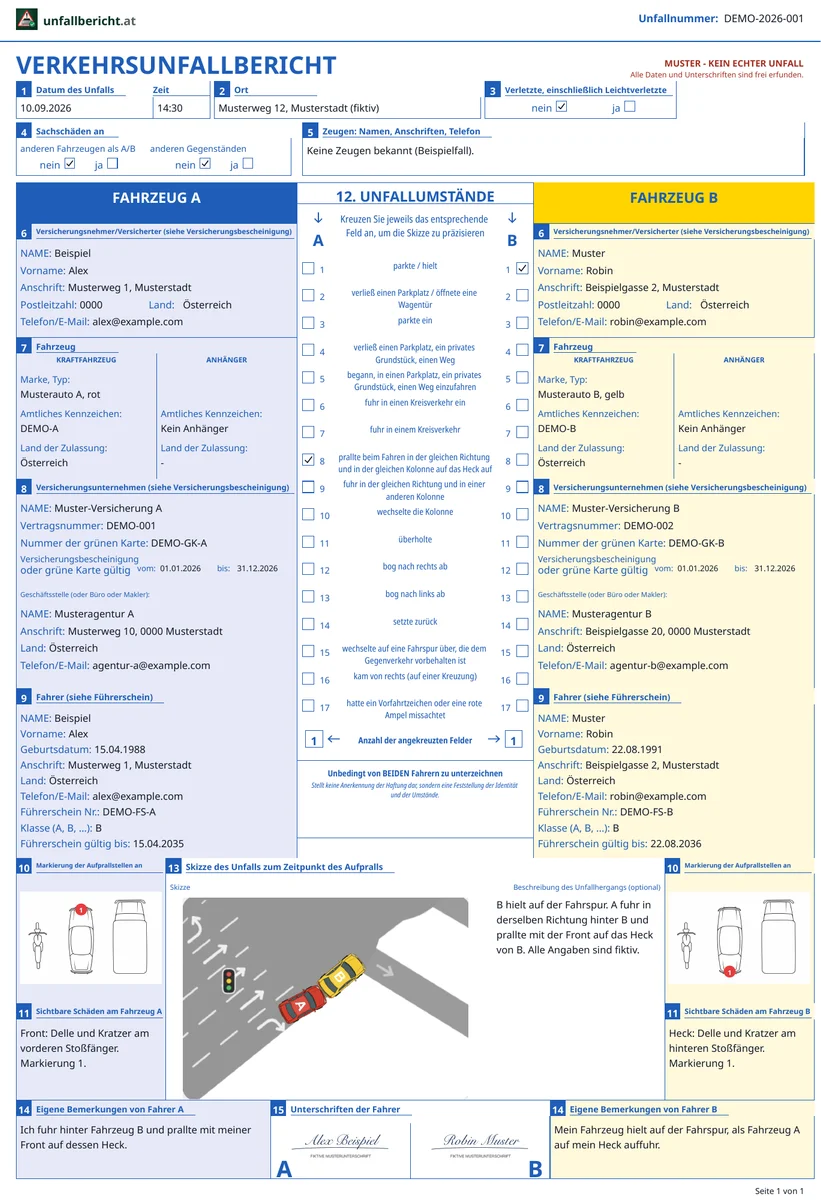
Finished accident report as a PDF

After the digital signature, Unfallbericht.at combines all details, vehicles, circumstances, sketch, damage notes and signatures into one finished PDF.

  • Complete traffic accident report
  • Includes sketch and damage details
  • PDF ready to save or share
Example of a finished accident report PDF

Features

What the app covers in practice

The functions are designed for the situation right after an accident: capture quickly, agree jointly, document legibly and share a complete PDF.

Live report with the other party

A report can be shared so that both accident parties see the same state and sign at the end.

Multilingual interface

The interface is available in 13 languages, which helps especially in cross-border accidents or with foreign-language participants.

Location and map

Address, location and map section support a traceable accident sketch.

Photo and damage documentation

Photos, damage markings and comments are captured where they are needed later in the report.

OCR for documents

When scan functions are used, driving licence or insurance data can be transferred more quickly.

PDF in standard structure

The finished report combines the information in a format based on the European Accident Report.

Result

A finished accident report, ready for the insurer

Unfallbericht.at automatically combines every detail into a structured PDF report, including people, vehicles, insurance data, circumstances, sketch, photos and digital signatures.
  • Free
  • PDF report
  • Digital signature

Accident report

Complete

  • Accident time and location
  • People involved, drivers, vehicles and insurance details
  • Injuries, additional damage and witnesses
  • 17-point checklist for the accident circumstances
  • Accident sketch with map context and objects
  • Damage markings, photos and comments
  • Digital signatures and PDF report

Available as a PDF immediately

Time & Place

Accident time, address and location

People

Drivers, owners and contact details

Vehicles

Plates, vehicle data and insurance

Circumstances

17-point checklist and detailed description

Evidence

Sketch, photos, damage and comments

Completion

Digital signatures and PDF report

Frequently asked questions about the app preview

Do I need to install an app?

No. Unfallbericht.at runs in the browser. You open the website on your smartphone and start the report online after signing in.

Can the other person join without an account?

Before someone can participate in an accident report, at least the essential personal information must be provided. The second party can then join via invitation code or QR code. This allows one shared report to be agreed on site and signed later.

Is the accident sketch created automatically?

Based on the accident location you provide, a sketch of the road layout at the accident location is created automatically. You can place additional elements such as traffic signs, vehicles or road sections as needed.

Which data should I prepare?

Ideally, you should fill in your own data in advance so that, in the event of an accident, you can focus on documenting what happened.

Is the signature an admission of fault?

No. The accident report documents the facts. Legal or insurance assessment is handled by the insurance company, authority, court or other competent body.

Ready to try the digital accident report?

Start for free in the browser and capture the report step by step. You can return to the draft later.